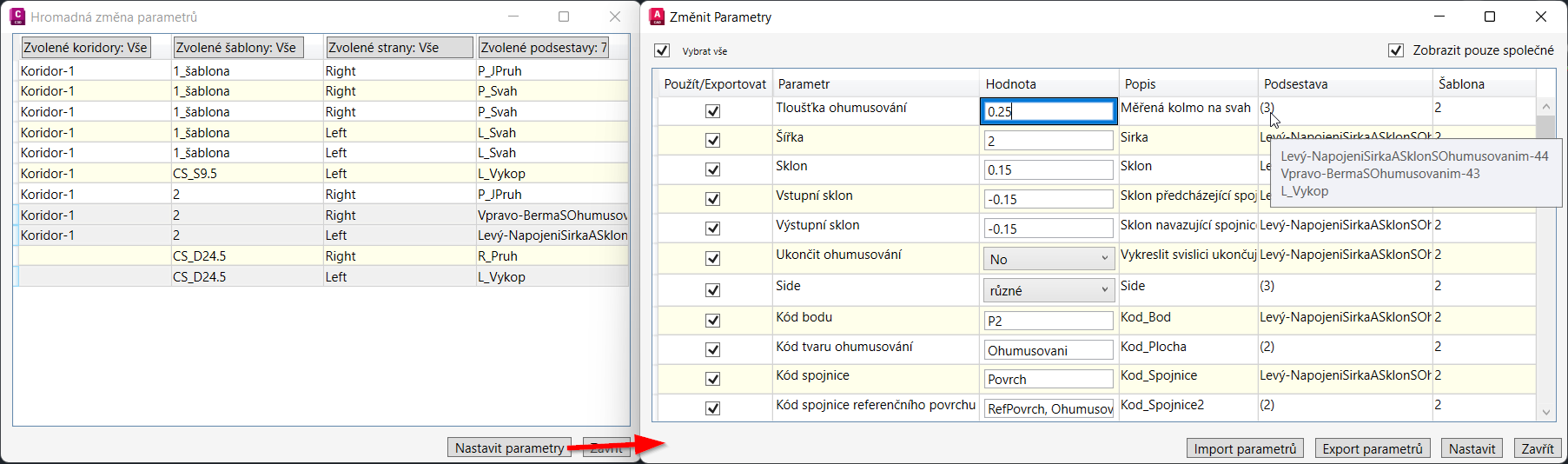
Dialog nástroje Změna parametrů podsestav
 Příkaz **csct\_zmena\_parametru\_podsestav** umožní uživateli snadno vybírat konkrétní podsestavy z výkresu, a to na základě filtrování podle koridoru, šablony, strany nebo názvu podsestavy. Po výběru podsestav lze v dalším dialogovém okně nastavit jejich parametry. Pokud podsestavy obsahují totožné parametry, tak jsou automaticky sloučeny do jediného parametru.
Dialog nástroje Změna parametrů podsestav